

How to Pay
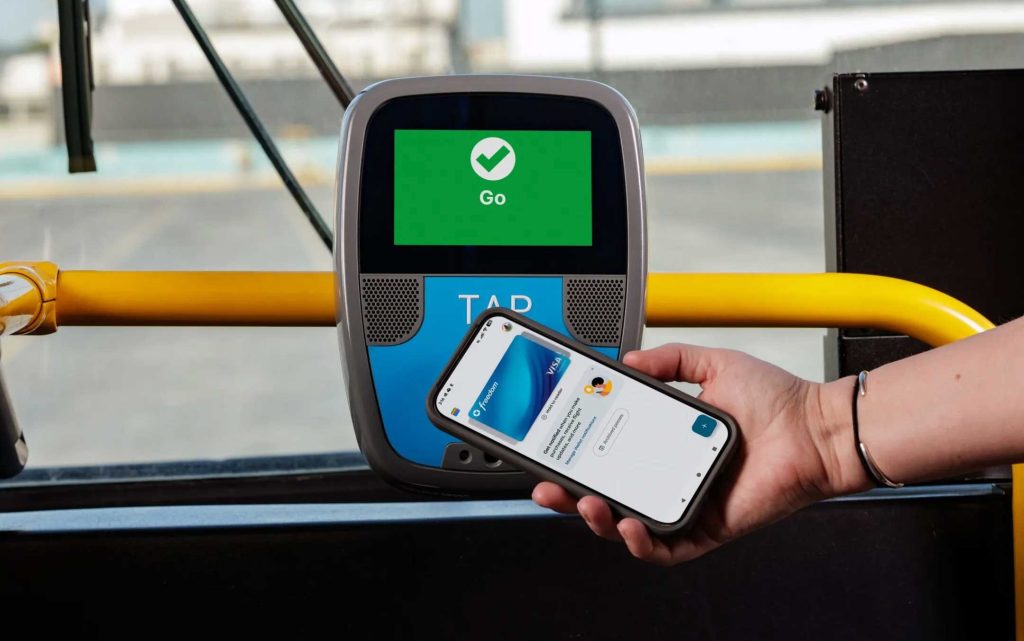
There’s more than one way to pay your fare on Metro, including cash or a TAP, credit or debit card. Simply tap your card at the validator on buses and at rail stations to board.
Metro riders paying with a TAP, credit or debit card get two hours of free transfers (does not include roundtrips), and can earn free rides with fare capping.
For help with fare payment questions, please call 866.TAPTOGO (866.827.8646).

Pay with a Credit or Debit Card
Tap your card at the validator on buses and at rail stations. Cards accepted (digital and physical): Visa, Mastercard, American Express, Discover, JCB and Union Pay — as well as Apple Pay and Google Pay.
Riders should tap the same digital or physical credit/debit card during a trip to enjoy the following benefits and features:
- Two hours of free transfers on Metro — does not include roundtrips.
- Discounted interagency transfers within 2.5 hours from the first tap.
- Pay for yourself and up to four additional riders with one credit or debit card, which is an easy way to ride together for an entire journey (without separating from the paying card holder).*
- Earn free rides when the 1-Day and 7-Day fare cap is reached on Metro and Santa Clarita Transit.
This payment option is available to regular fare riders who travel on Metro and 26 additional transit agencies in LA County. Credit and debit fare payment will be available to Reduced Fare riders in 2027.
*If you separate from the original card holder, you must pay a new fare to board another bus or train. If a rider cannot show proof of paid fare, they may be subject to a citation.

Pay with a TAP Card
TAP is a reloadable fare card that offers a flexible way to pay your fare on Metro bus and rail. It’s also valid for travel with 26 other transit agencies across LA County.
Get started with TAP
- Buy a physical TAP card for $2 at a TAP vendor location or at TAP vending machines located at Metro rail, J and G Line stations.
- Get a digital card with the TAP app, available in the App Store and Google Play
Load fare money (Stored Value) to your TAP card
- Online at taptogo.net
- In the TAP app
- By phone at 866.TAPTOGO (866.827.8646)
- At a TAP vendor location
- At a bus farebox
- At TAP vending machines located at Metro rail, J and G Line stations.
Add TAP Card to Apple Wallet
- Open Apple Wallet and tap the add icon at the top of your screen
- Select “Transit Card,” then select “TAP”
- Add money to cover one-way fare or more
- Tap your iPhone or hold your Apple Watch near validators on buses and at train stations
Questions about TAP? Please visit taptogo.net or call 866.TAPTOGO (866.827.8646)

Pay with Cash
Exact change is accepted on buses that do not have all-door boarding. Transfers are not included.
To ride Metro Rail, you must pay with a credit, debit or TAP card.
TAP Resources
Step-by-step instructions for how to reload fare at a TAP vending machine:
- Buy a Regular TAP card + Stored Value
- Buy TAP card with custom Stored Value amount
- Buy multiple TAP cards loaded with $5 Stored Value
- Buy transfers with Stored Value
- Reload Stored Value on a Senior Reduced Fare TAP card
- Reload Senior Fare 1-Way Trip on Reduced Fare TAP card
- Buy EZ Transit Passes
For additional convenience and features, register your TAP card:
- Call 866.TAPTOGO (866.827.8646) to register
- Get balance protection: If your card is lost or stolen you can recover the balance and transfer it to a new card.
- Transfer a remaining balance from one TAP card to another
- Consolidate balances from several TAP cards to one
How to Video
